Now Live: A PDF Editor That Fills, Signs and Redacts Court Forms Without Uploading Them
OMPN Team
Open Matter Plans Network
There are two ways a firm usually fills in a court form, and both are bad. The first is to print it, complete it by hand, sign it, scan it back in, and hope nobody needs to change a date. The second is to search for a free PDF tool, upload the document to a server somewhere, and trust a deletion policy you have never read with a file that names your client. Today we are launching a third way: a full PDF editor built into the network, where the form is filled, signed and assembled by your browser and the file never leaves your machine.
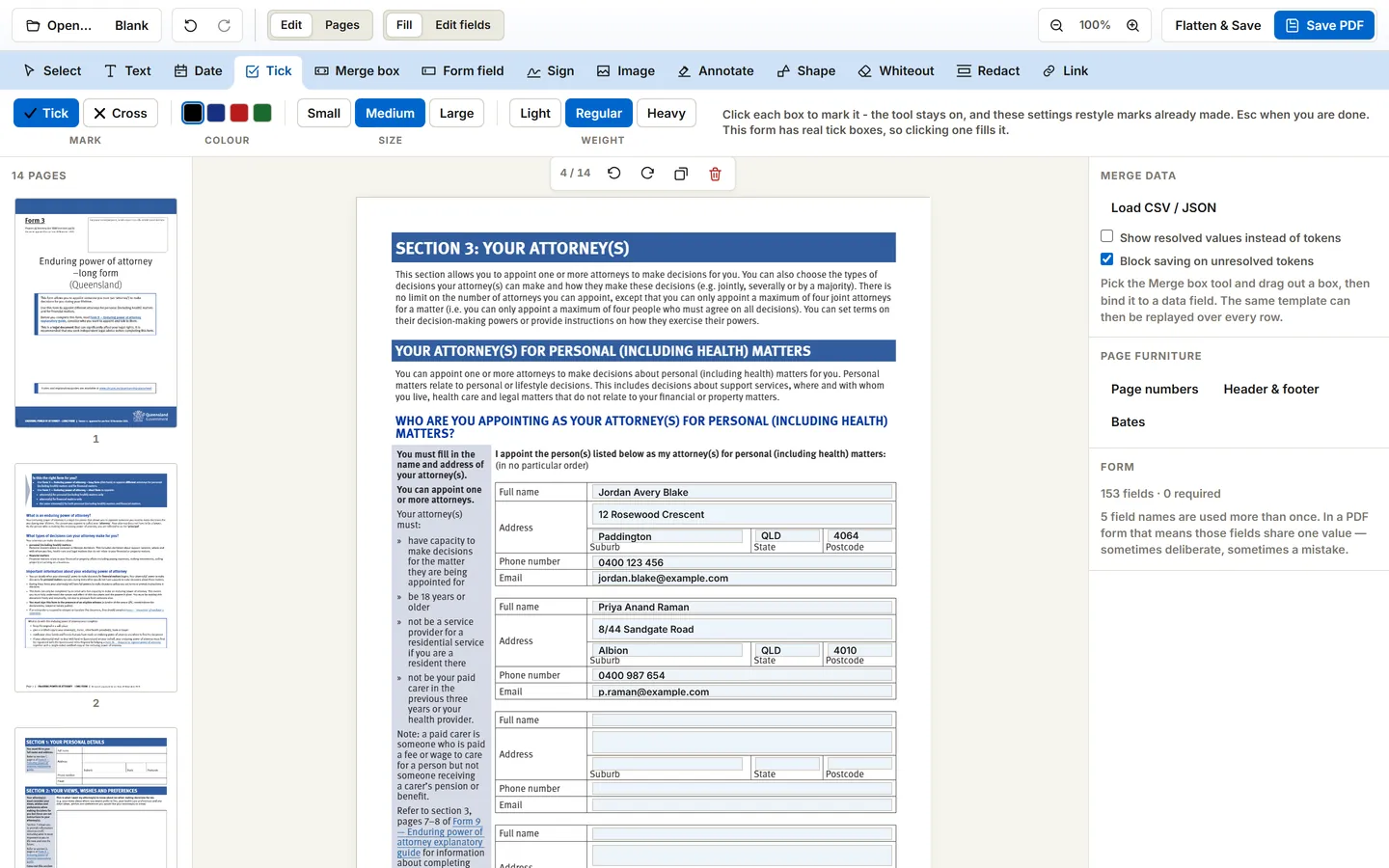
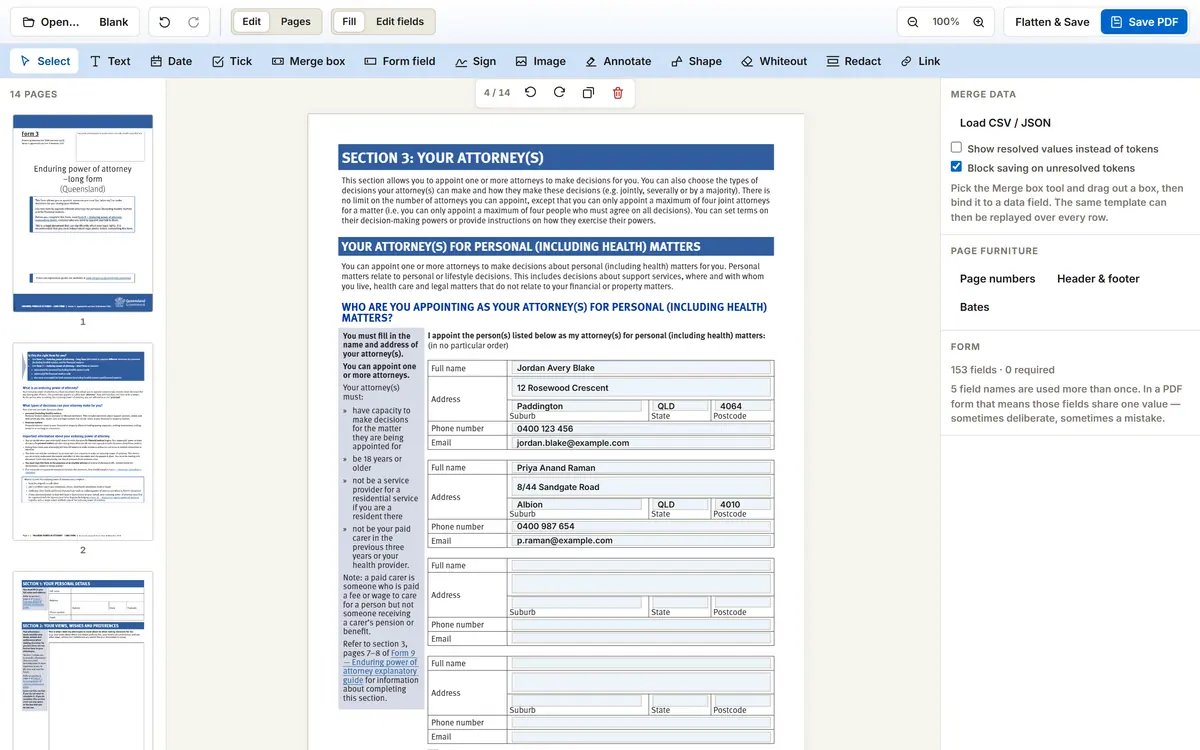
You can reach it from two places. Every PDF form in the document library now carries a "Fill this form in your browser" button that opens that exact form, ready to type into. And a PDF Editor entry now sits in the main header, so you can open any PDF of your own - a contract, an affidavit, a bundle of exhibits - and work on it the same way.
Nothing Is Uploaded, and That Is Enforced Rather Than Promised
The editor is local-first. Our servers ship the application; they never receive the document. The PDF is opened, rendered, edited and written entirely by your browser, and the finished file is saved straight back to your machine. This is not a policy statement we are asking you to take on faith - the page is served with a content security policy that restricts where it may connect to our own origin, so the browser itself refuses to let the editor send a document anywhere. The guarantee is enforced by the same mechanism that stops any other page on the web from doing it.
Because no server ever touches your document, the usual limits of free web PDF tools simply do not exist here. No page ceiling. No file size cap. No three tasks an hour. No two-hour retention window to worry about, because there is nothing on our side to retain.
For legal work this is not a nicety. Uploading a draft affidavit, a client instruction sheet or a redaction job to a third-party service is a disclosure decision, whether or not anyone treats it as one. The cleanest way to avoid making that decision badly is to use a tool that is incapable of making it at all.
Filling: Every Field the Form Actually Declares
Court and government forms are not simple documents. They carry field types that most browser PDF viewers handle poorly or not at all, and a form that half works is worse than one that does not work, because you only discover the gap at the registry counter. The editor reads the form the way the form was authored:
- Text and multiline fields, filled in place with the form's own layout preserved
- Dropdowns and list boxes, offering the values the form itself allows rather than free text
- Tick boxes and radio groups, with the mutual exclusion the form declares, so selecting one option properly clears its siblings
- Comb fields - those boxed character-by-character rows for names, dates and file numbers - rendered as the fixed cells they are meant to be
- A checklist of required fields still empty, shown before you save rather than after you file
- Plain text placed anywhere on the page, so a scanned or non-form PDF can be completed just as neatly
Signing, Without Printing Anything
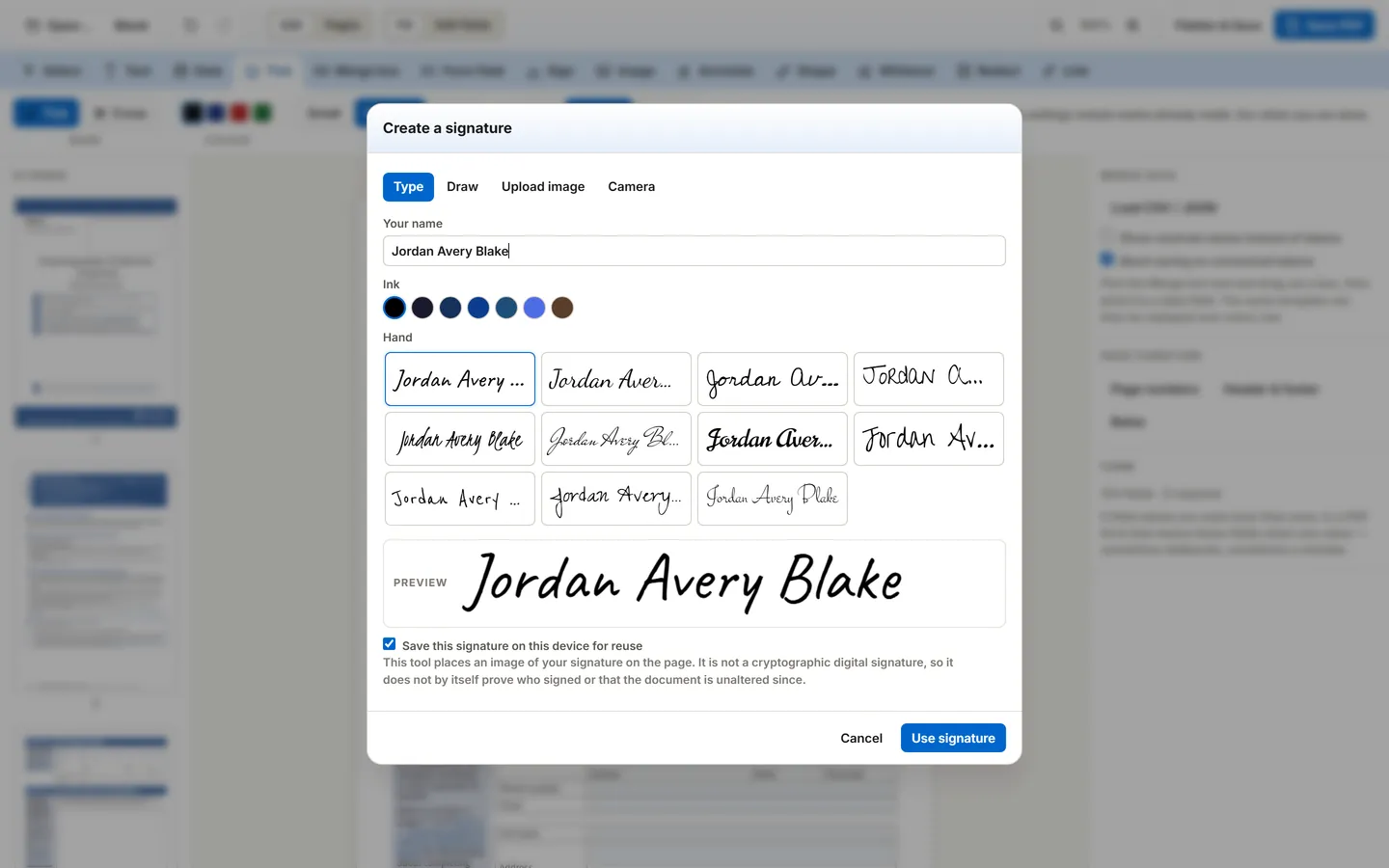
A signature can be typed in one of eleven hands, drawn with a stylus or trackpad, uploaded as an image, or photographed with your camera, with the background removed so a signature on paper lifts cleanly onto the page. Signatures you keep are stored in your own browser, on your own machine, and are never sent to us. The camera prompt is the browser's own, and the permission is scoped to our origin only.
Redaction That Is Checked Before the File Saves
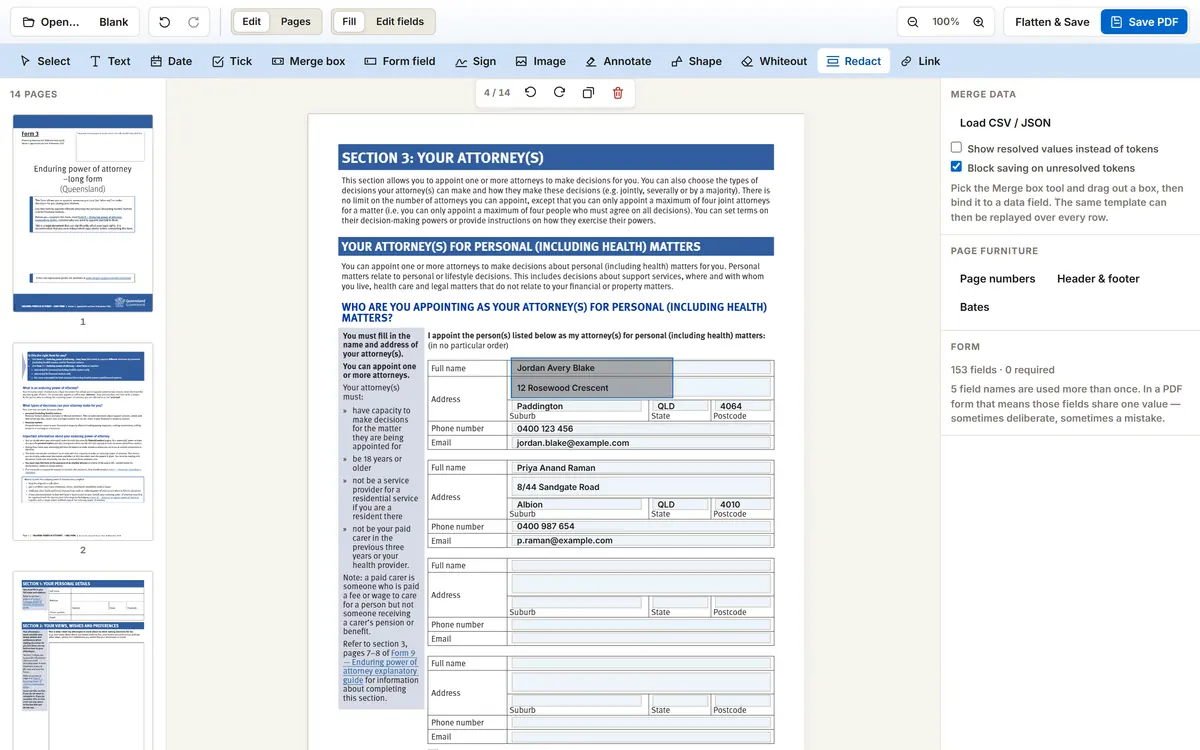
The most expensive mistake in document handling is a redaction that only looks like one. Drawing a black rectangle over a name in most editors leaves the name in the file, selectable and copyable by anyone who opens it. Firms have made the news for exactly this.
Our redaction removes rather than covers. The text is excised from the page's content stream, images touched by the box are blanked, vector paths sitting inside it are deleted, and the document metadata, XMP packet and embedded files are scrubbed. Then the editor does the thing that matters: it re-reads the bytes it just produced and checks them. If anything that was supposed to be gone is still extractable, the save is refused rather than completed.
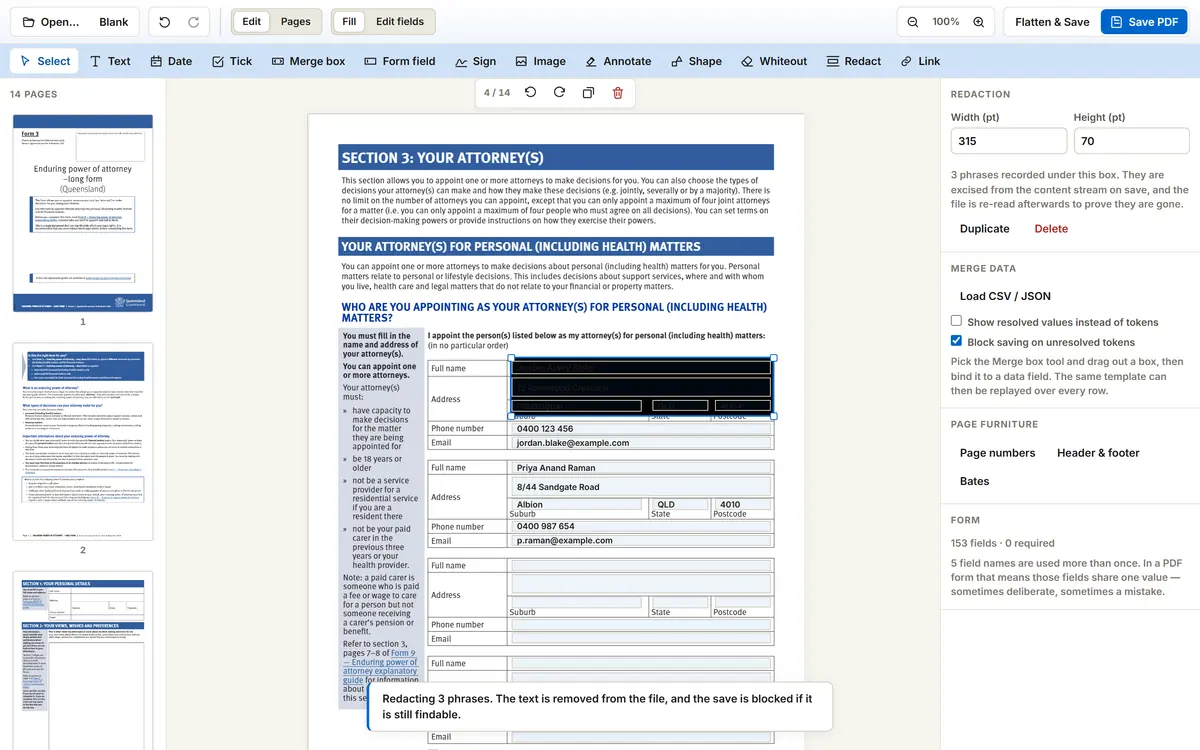
Whiteout is offered separately and labelled honestly. It hides content, it does not remove it, and the editor says so where you choose it. If you need something gone, the tool that removes it is the one that verifies its own work.
Assembling a Document Fit for Filing
Most filings are not one clean form. They are a form, an affidavit, a handful of exhibits, and a set of page numbers a registry will actually accept. That assembly work usually means a second tool, or a third. It is all here:
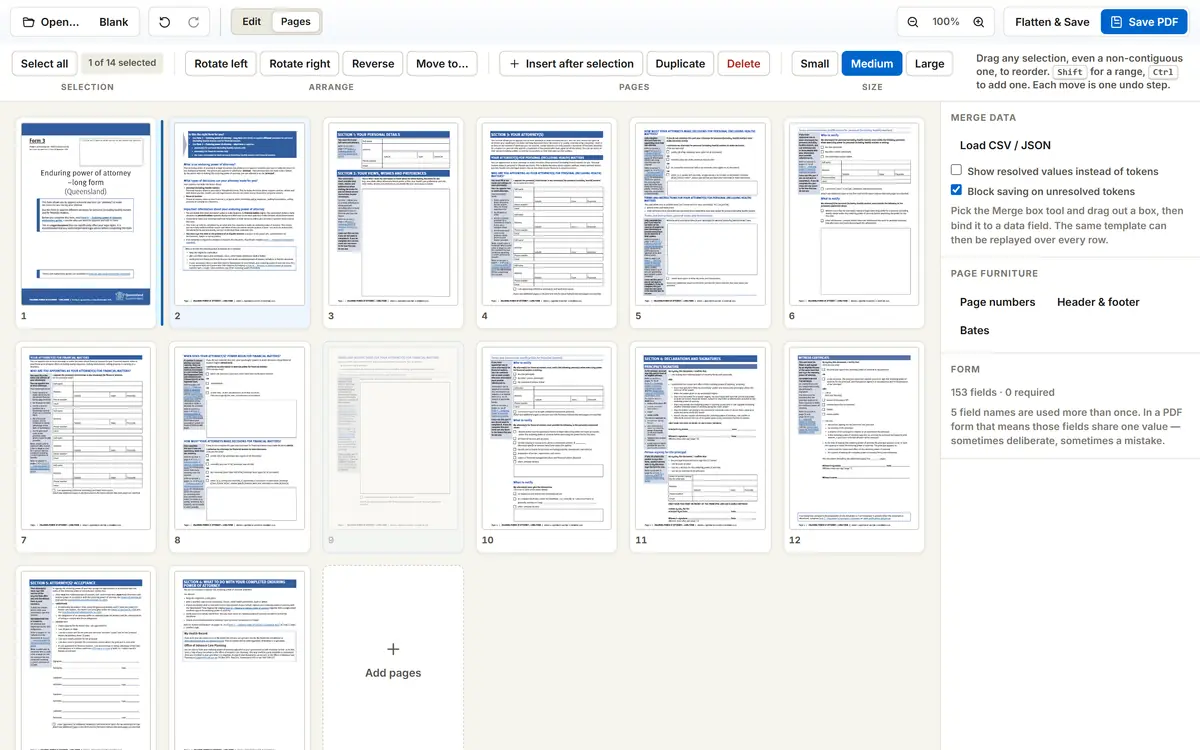
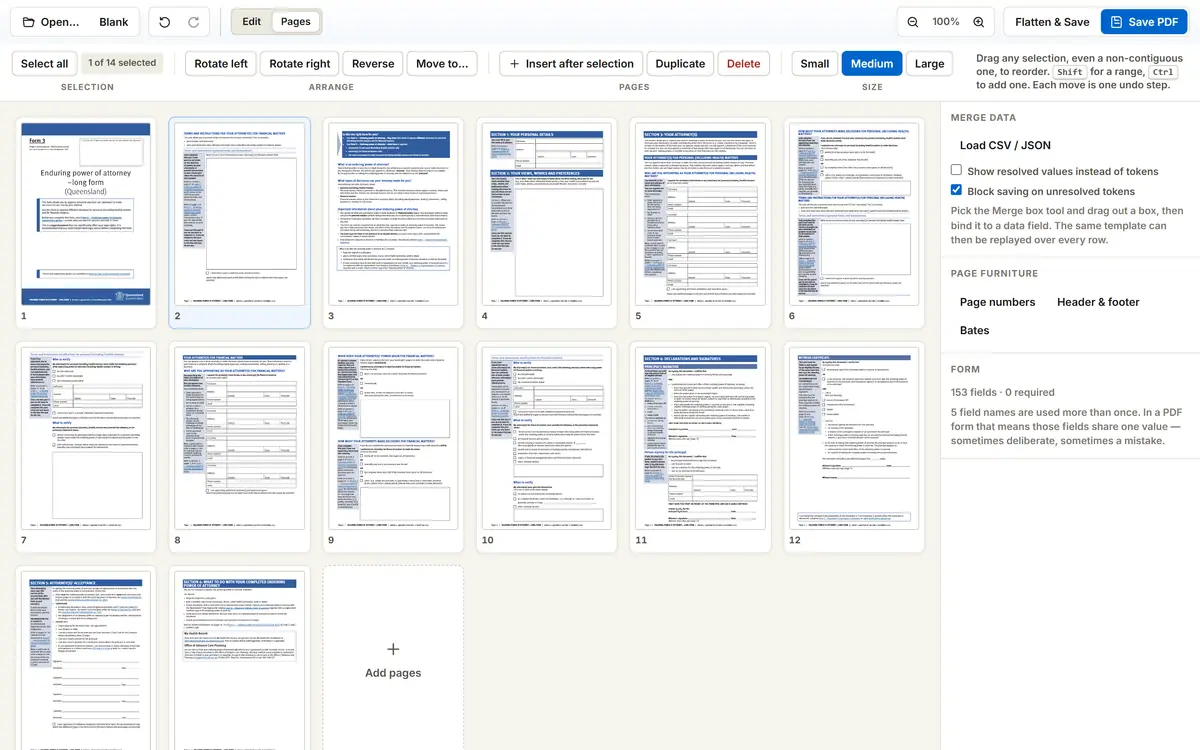
- Insert pages from another PDF, either the whole document or a range such as 2, 5-9, and insert an image as a page
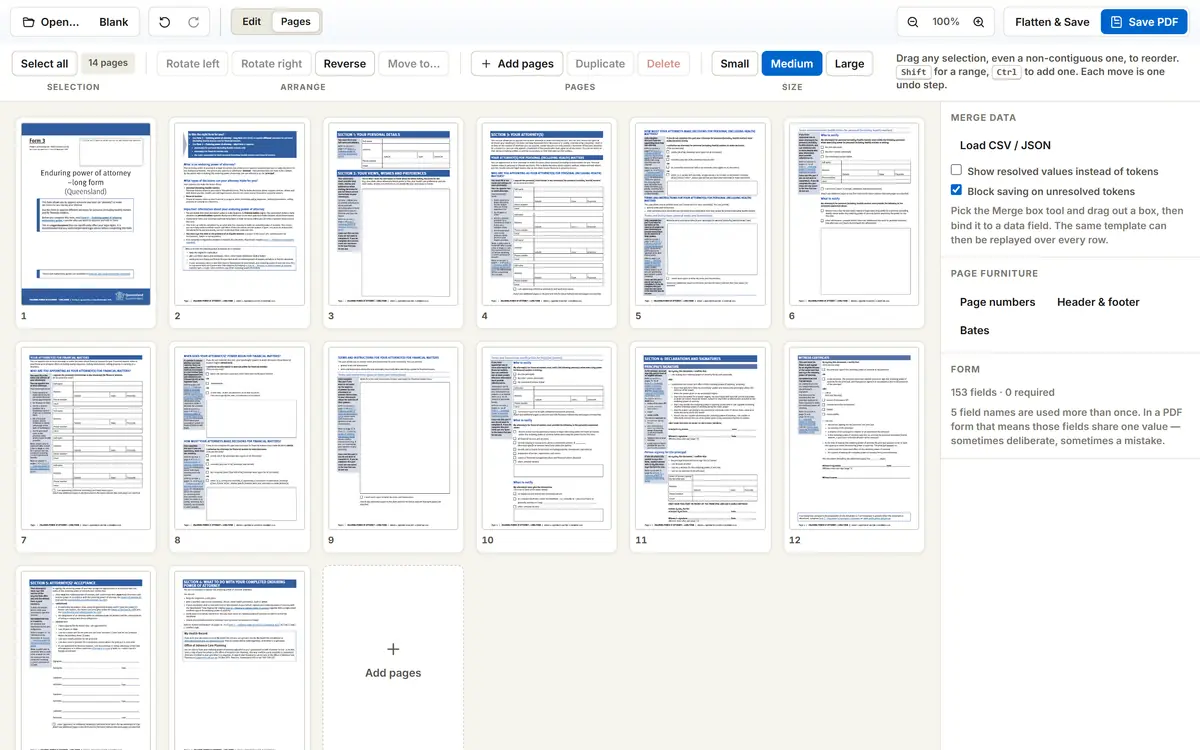
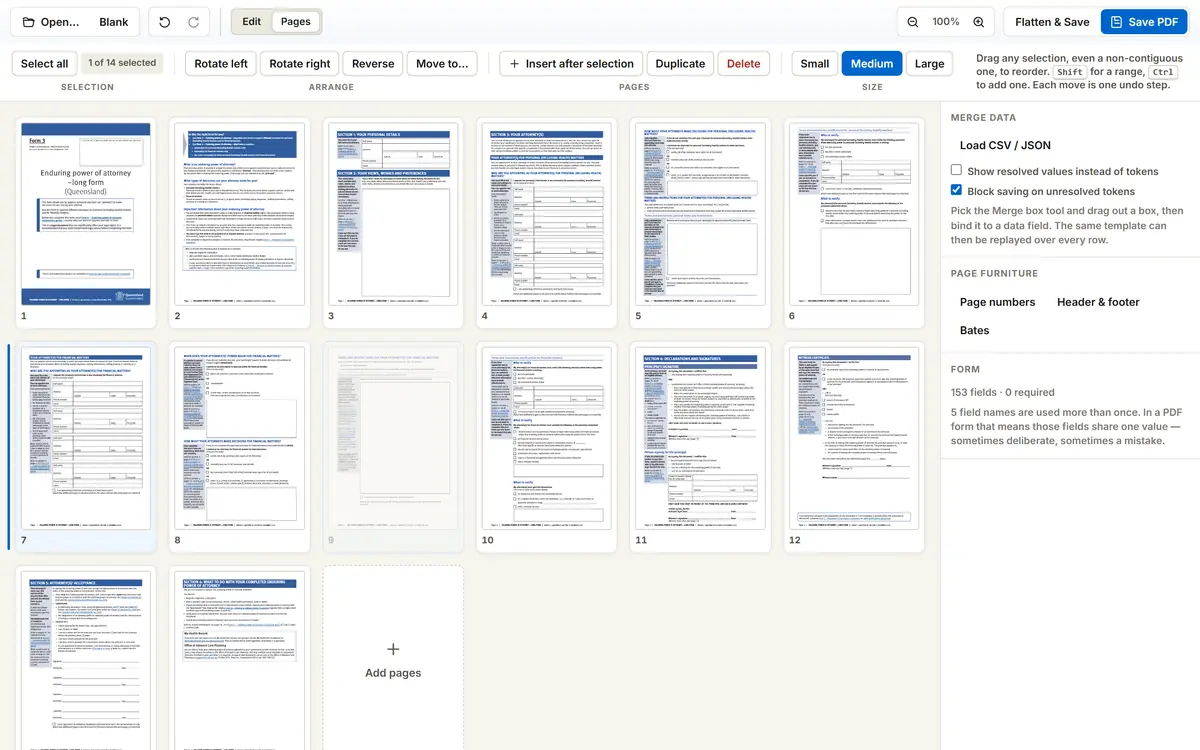
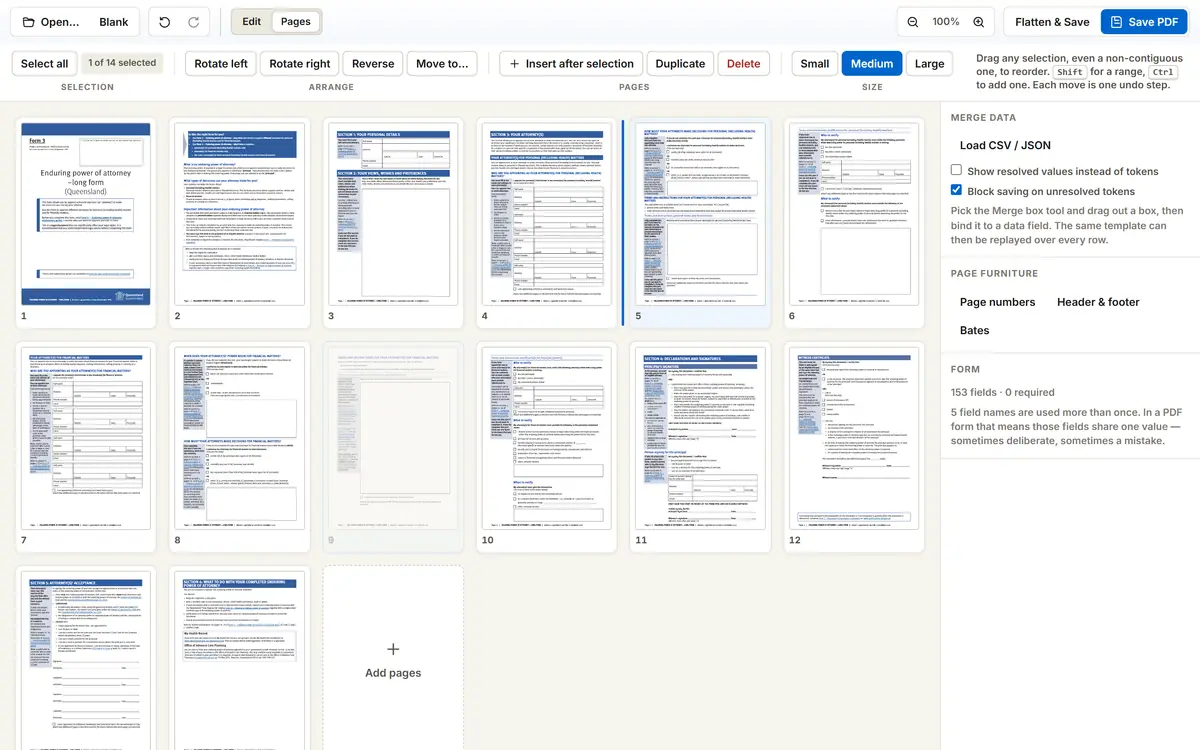
- Add blank pages, duplicate, delete, extract, rotate and reverse, each as a single undoable step
- Reorder by dragging any selection, including a non-contiguous one, as a single block, or move pages by keyboard
- Page numbers with nine anchor positions and the numbering styles filings actually use, including Page 1 of N and roman numerals
- Headers and footers with tokens for the page, the total, the filename, the date and the time
- Bates numbering with exact padding and no skipped or repeated numbers, for discovery and exhibit bundles
- Highlight, underline, strike-through and squiggle written as real PDF markup annotations, so other software reads them as annotations rather than as shapes drawn on the page
- Shapes, images, hyperlinks, bookmarks and document metadata, for the times a document needs finishing rather than filling
The Unglamorous Details That Decide Whether It Works
Two things quietly ruin browser PDF tools. The first is fonts: a name with an accent, or a client whose name is written in Greek, Cyrillic, Arabic, Hebrew, Devanagari or Thai, comes out as empty boxes because the font was never embedded. The editor ships metric-compatible faces and subsets them into the saved file, so what you typed is what prints. The second is losing work: the editor autosaves your draft into your own browser storage and offers it back if the tab crashes or you close it by accident, and that draft never leaves the machine either.
Underneath, the editor carries around four hundred of its own tests, including real PDF round-trips, and an adversarial review pass that found and closed two genuine redaction leaks before launch. We would rather tell you that than pretend the first build was perfect.
What It Does Not Do Yet
In the same spirit, the limits, stated plainly rather than discovered later:
- Editing text that is already on the page covers the original rather than removing it. The editor says so at the point of use and points you at redaction when removal is what you need
- There is no OCR, so a scanned page is an image - you can type onto it, but its text is not searchable
- Signatures are drawn, typed or photographed marks on the page, not cryptographic digital signatures, so a filing that requires a certificate-based signature still needs a signing service
- Right-to-left scripts are encoded correctly but not typeset with a shaping engine, so Arabic and Hebrew need checking before you rely on them
“A tool that has to see your client's document before it can help you fill it in is the wrong tool for legal work. The document should stay where it already is: with you.”
- OMPN Team
Who Can Use It
The forms themselves stay public and free to download without an account, because they are documents published by courts and councils and they belong to everybody. The editor is free as well: open a PDF of your own and it asks for no account at all, because the file never leaves your browser and there is nothing on our side to pay for. What members get is the shortcut - sign in with your firm email and the form you picked opens in the same tab, on the same page, already loaded. The sign-in sits in front of the convenience, never in front of the law or the tool.
Open any PDF of your own - a contract, an affidavit, an exhibit bundle - and fill, sign, redact and reorder it without the file ever leaving your browser.
Open the PDF EditorOr start from the form you actually need. Every PDF form in the document library now opens straight into the editor, already loaded, from the page you find it on.
Browse the court, council and government forms on the network, then fill the one you need in your browser.
Browse the Forms